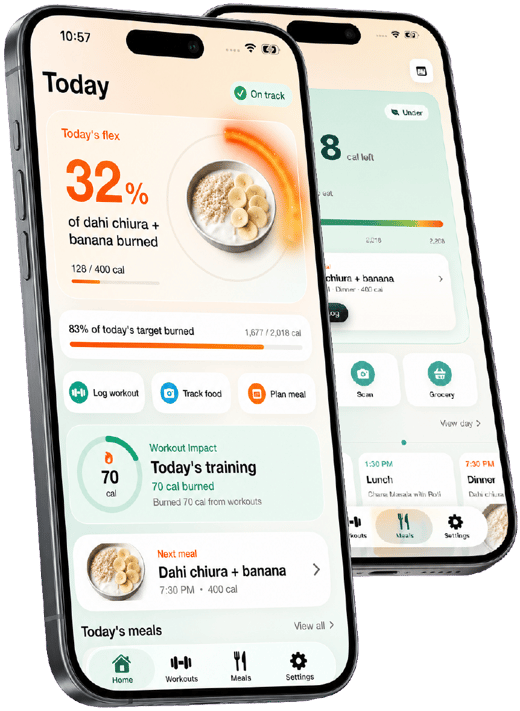

Compressing a day's calories into 2–3 meals instead of 4–6 means each meal is substantially larger, which changes how it's logged and how full it feels — a 700-calorie lunch isn't unusual on a 16:8 schedule.
Why it's different
Why fasting-window tracking is different
The math behind intermittent fasting is the same calorie and protein target as any other approach — what changes is the logistics of fitting it into far fewer hours, which affects meal size, protein pacing and how satiety plays out.
16:8 the most common intermittent fasting pattern — 16 hours fasted, 8 hours eating
1.6–2.2 g/kg protein per kg is harder to hit in a short window, so it needs deliberate meal planning
2–3 meals is typical within an 8-hour window, versus 4–6 smaller ones across a full day
With fewer eating occasions, hitting 1.6g/kg+ of protein means each meal has to carry more of the daily target — a single small protein serving per meal often isn't enough anymore.
Fasting hours are zero-calorie by definition, but tracking still matters for knowing exactly when the window opens and closes, and for logging black coffee, tea or electrolytes that don't break a fast but are worth recording.
The first meal after 16+ hours fasted affects how the rest of the window feels — starting with protein and fiber tends to support steadier energy than starting with something very sugar- or refined-carb-heavy.
What it looks like
A sample day on a 16:8 fasting schedule (noon–8 PM window)
Around 1,900 calories fit into two meals and a snack, all within an 8-hour window. The same protein target as a full-day eater — just carried by fewer, larger meals.
Example day
Daily targets
calories ~1,900 the same daily target as non-fasted eating — the window doesn't change the total
protein 120 g+ split across 2–3 larger meals instead of several smaller ones
eating window 8 hours noon to 8 PM in this example — adjust to your own schedule
fasting hours 0 kcal water, black coffee and plain tea logged but don't count against calories
A logged day
8:00 AM Black coffeeinside the fasting window — logged, not counted 0 kcal
12:00 PM Chicken, rice and vegetable bowlbreaks the fast with protein and fiber first, not a sugary option 720 kcal
3:00 PM Greek yogurt + granola + berriesa substantial snack, not a small one, since meals are fewer 380 kcal
7:00 PM Salmon, sweet potato, roasted vegetablesthe window's last meal, sized to close out protein and calories 650 kcal
7:45 PM Dark chocolate squarefits the last few minutes of the window without derailing the day 90 kcal
How Burnplate handles it
How Burnplate tracks an intermittent fasting schedule
Burnplate doesn't dictate a fasting protocol — the window and pattern are yours to choose. What it does is track the same calorie and protein targets clearly, however few or many meals they're split across.
Handles large, infrequent meals cleanly
Log a 700-calorie lunch the same way as a 300-calorie one — Burnplate's daily balance doesn't assume a fixed number of meals, so fewer, bigger entries read just as clearly as a standard day's worth.
Protein tracked to catch pacing gaps
See protein progress update meal by meal, so it's obvious mid-window whether the day's later meal needs to carry more protein to hit the target before the window closes.
Photo logging for bigger combined plates
Snap a photo of a full bowl meal — protein, carb and vegetable together — and adjust portions, useful for the larger, more complete meals that a compressed eating window tends to produce.
See the burn bar update across the eating window
Log a workout inside or outside the fasting window and see what percentage of a meal your activity has burned off, connecting training to the eating window without extra math.
Practical guidance
Tracking tips for intermittent fasting
Practical habits for hitting calorie and protein targets when the eating window is short.
- 01 Plan meals before the window opens
Deciding what to eat in advance avoids the trap of grabbing something fast and protein-light when the fast breaks.
- 02 Break the fast with protein, not sugar
Starting the eating window with protein and fiber tends to produce steadier energy than starting with something very refined.
- 03 Front-load protein if meals are uneven in size
If one meal will be smaller than another, put more of the day's protein target into it early rather than hoping the last meal covers the gap.
- 04 Log fasting-window drinks even at zero calories
Black coffee, plain tea and water don't break a fast, but logging them keeps a full picture of the day and catches anything that accidentally does carry calories.
- 05 Don't oversize the last meal to compensate
It's tempting to eat everything remaining right before the window closes — spacing 2–3 meals evenly within the window is usually easier to digest and track.
- 06 Adjust the window to your schedule, not a rule
16:8 is common but not required — a 14:10 or 18:6 window that fits your day is easier to sustain and just as trackable.

Track it with a photo, not a search bar
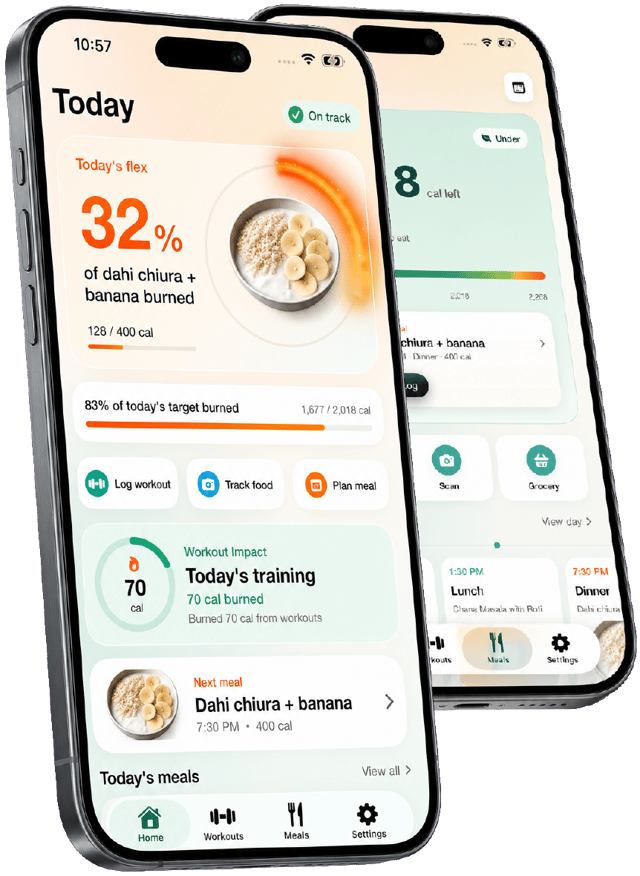
Start tracking free Burnplate sets your calorie and macro targets, logs meals from a photo, and shows how much of each meal your workouts and steps have burned off.
Questions
Calorie tracker for intermittent fasting: FAQ
How many calories should I eat during intermittent fasting?
The same total your body needs for your goal — fasting changes the timing of meals, not the underlying calorie or protein target. A calorie calculator for intermittent fasting sets that daily number the same way it would for any eating pattern; the difference is fitting it into fewer hours.
Does intermittent fasting help with weight loss?
It can, mainly because a shorter eating window often makes it easier to eat fewer total calories without consciously restricting. The weight loss itself still comes from a calorie deficit — fasting is one way to reach that deficit, not a separate mechanism.
Is it hard to get enough protein on intermittent fasting?
It takes more planning than eating across a full day, since the same protein target has to be split across fewer, larger meals. Prioritizing a solid protein source at each meal in the window, rather than treating protein as a side item, is usually what closes the gap.
Does coffee or tea break a fast?
Black coffee and plain tea are essentially calorie-free and widely considered fine during a fasting window; the moment cream, sugar or milk is added, it becomes a calorie-carrying drink that technically breaks the fast in the strictest sense. Logging it either way keeps the record accurate.
What is a good intermittent fasting schedule for beginners?
16:8 — a 16-hour fast with an 8-hour eating window, often achieved just by skipping breakfast and eating lunch through dinner — is the most common starting pattern because it fits most schedules without dramatic disruption.
Can Burnplate track meals inside a fasting window?
Yes. Log meals by photo or search inside your eating window the same way as any other day — Burnplate doesn't require a fixed number of meals, so 2–3 larger entries in a compressed window are tracked just as clearly as a full day's worth.
