
Most people who say they 'don't have willpower' to track actually don't have the 3–5 minutes a manual log demands per meal, several times a day. The tracker has to fit into a schedule with no slack, not ask for more attention than there is to give.
Why it's different
Why busy-schedule tracking has to be built differently
A person with time to meal-prep, weigh portions and plan a week of eating in advance has very different tracking needs than someone eating on the run between meetings, school pickups and everything else. Speed is the actual design requirement here — not features.
10 sec is roughly how long photo logging a meal takes once the habit is set — the bar for it to actually stick
3–5 meals most busy people eat on repeat during the work week — a huge shortcut once they're saved
500 kcal deficit a day is enough for steady weight loss without needing a complicated eating plan to hit it
A busy week usually means eating a small rotation of the same fast, reliable meals — the same lunch order, the same breakfast. Logging that repetition should take one tap, not require re-entering the same meal from scratch every time.
Less time to cook usually means more restaurant, delivery and grab-and-go meals, which are harder to estimate than a home-cooked plate with known ingredients — tracking has to work for these too, not just meal-prepped food.
On the busiest days, even a fast log gets skipped sometimes — what matters is picking tracking back up the next meal, not treating one gap as a reason to stop for the week.
What it looks like
A sample day logged in under a minute total
Around 1,900 calories from a normal, unplanned workday — a coffee shop breakfast, a repeat lunch order, dinner from whatever was fastest. Every entry logged in seconds, not minutes.
Example day
Daily targets
calories ~1,900 a moderate target that doesn't require a strict meal plan to hit
protein 90 g+ a simple floor, tracked without needing to plan every gram in advance
logging time under 1 min/day total the actual bar for tracking to survive a packed schedule
meals logged 3–4 whatever the day actually included, no prep required
A logged day
7:45 AM Coffee shop breakfast sandwichphoto-logged while walking to the car 420 kcal
12:15 PM The usual lunch order (chicken bowl)logged in one tap as a saved repeat meal 610 kcal
3:30 PM Granola bar from the desk drawerlogged from a quick search, no photo needed 190 kcal
6:45 PM Takeout stir-fry, picked up on the way homephoto-logged in the car before heading inside 680 kcal
How Burnplate handles it
How Burnplate keeps tracking fast for a packed schedule
Burnplate is built around the assumption that tracking has to fit into spare seconds between other things, not require a dedicated block of time.
Photo logging for anything, anywhere
Snap a photo of a meal — home-cooked, takeout, a coffee shop breakfast — and Burnplate identifies it and estimates the portion, cutting out manual search entirely.
Saved meals logged in one tap
The same lunch order or breakfast gets saved after the first log, so repeating it later in the week takes one tap instead of a full re-entry.
Search logging for the rest
For anything a photo can't easily capture, quick text search finds and logs common foods and restaurant items in a few taps, no scrolling through irrelevant results.
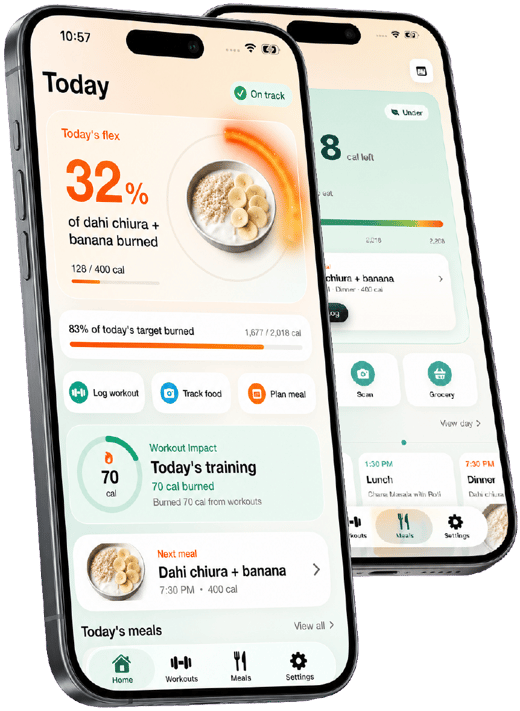
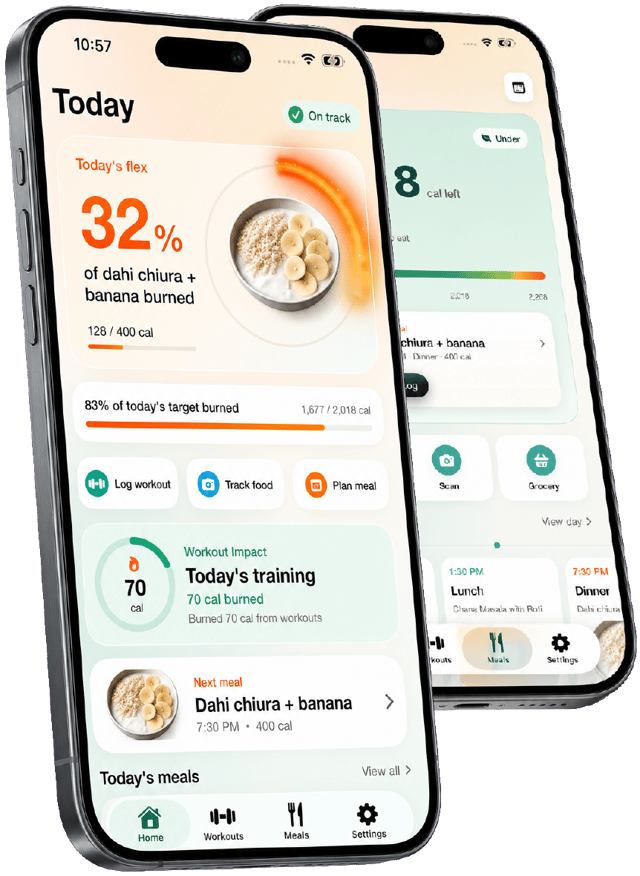
The burn bar shows quick wins from activity
A short walk between meetings logged against the day's meals shows visibly on the burn bar — an easy, motivating check-in that doesn't require extra time to understand.
Practical guidance
Tracking tips for a busy schedule
Small habits that keep logging under a minute a day, even on the most chaotic weeks.
- 01 Save your repeat meals immediately
The first time you log your usual lunch or breakfast, save it — every future log of the same meal becomes one tap.
- 02 Log in the moment, not at the end of the day
Photo-logging right after eating takes seconds; trying to remember and log four meals at 9 PM takes much longer and is less accurate.
- 03 Don't wait for a 'clean' meal to log
Fast food, a vending machine snack or a rushed dinner still counts — log it the same as any other meal rather than skipping it.
- 04 Use photo logging for takeout and delivery
A quick photo of a delivery meal logs faster than trying to search a restaurant's menu item by name.
- 05 Accept an imperfect log over a skipped one
A rough estimate for a hectic day beats no entry at all — the pattern over a week matters more than any single meal's precision.
- 06 Set a realistic calorie target, not an aggressive one
A moderate, sustainable deficit is easier to hit without meal planning than a strict number that requires careful daily control.

Track it with a photo, not a search bar
Start tracking free Burnplate sets your calorie and macro targets, logs meals from a photo, and shows how much of each meal your workouts and steps have burned off.
Questions
Calorie tracker for busy people: FAQ
What's the easiest calorie tracker for someone with no time to spare?
One built around photo logging and saved repeat meals, rather than manual search and entry for every ingredient. The test is simple: if logging a meal takes longer than eating it, it won't survive a packed schedule — speed is the actual feature that matters here.
How can I track calories if I eat out or order delivery a lot?
Photo logging works for restaurant and takeout meals the same way it does for home-cooked food — snap a picture, confirm the estimate, adjust the portion if needed. It's far faster than trying to search a specific restaurant's menu item in a database.
Can I track calories without meal prepping or weighing food?
Yes. Weighing food gives more precision, but photo-estimated portions are accurate enough to see real patterns and progress for most people, especially when logging consistently is the bigger challenge than precision.
What happens if I forget to log a meal during a busy day?
Nothing breaks — log it as soon as you remember, even hours later, or just pick back up at the next meal. One missed entry doesn't undo the pattern from the rest of the week; treating it as a reason to quit is the bigger risk.
How much time does calorie tracking actually take with Burnplate?
Photo logging a meal typically takes about 10 seconds once the habit is set, and repeat meals saved from a previous log take one tap. For most busy people, total daily logging time lands under a minute across all meals.
Is a simple calorie deficit enough to lose weight without a strict diet plan?
Yes — a moderate deficit, commonly around 500 calories a day below maintenance, produces steady weight loss without requiring a rigid meal plan. Tracking what you're already eating and adjusting portions slightly is often enough, which fits a busy schedule better than an elaborate plan would.
